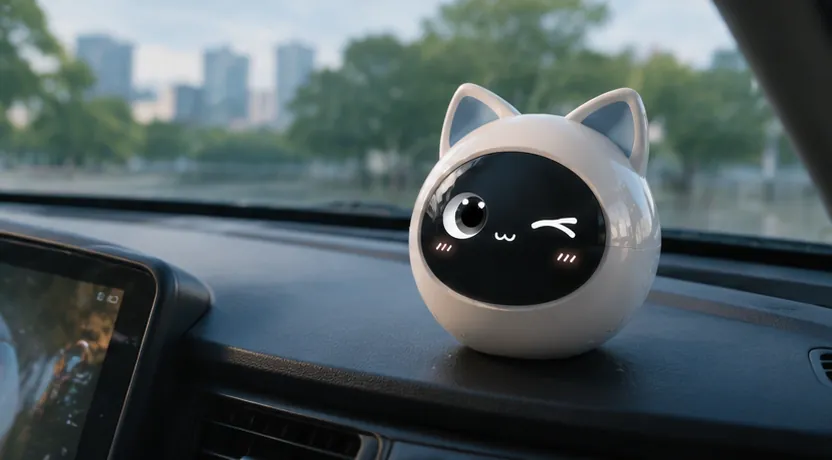
Nimo is a companion for your desk and your car. On a desk, none of this is a concern and he can be as playful as you like (see Nimo on your desk). This page is about the car, where the rules are stricter.
The three kinds of distraction
Road-safety agencies such as the US Centers for Disease Control and Prevention group driver distraction into three types. A companion that lives on your dashboard has to respect all three:
- Visual: taking your eyes off the road.
- Manual: taking your hands off the wheel.
- Cognitive: taking your mind off driving.
How Nimo is designed around each one
Visual
Eyes on the road
Nimo has no text to read and nothing to scroll. His eyes are the message: a happy squint, a sleepy blink, a soft glow. You get it in a glance, the way you'd notice a passenger smile. After dark they glow softer so they don't glare.
Manual
Hands on the wheel
Everything Nimo does while you drive is hands-free. Petting and games are for when you're parked. Passengers can play with him any time.
Cognitive
Mind on the drive
He keeps it short: a hello, a message read aloud if you want it, a yawn when you've been driving a long time. No long conversations to follow, no notifications piling up.
Physical
Staying put
Unlike robots that walk or roll, Nimo doesn't move around. All his motion is in his face, so he's designed to sit in one secure spot on the dash for the whole drive.
What Nimo is designed never to do
- Play video, or show anything you'd have to watch.
- Ask you to read text while the car is moving.
- Need a tap to dismiss something while you drive.
- Pile up notifications or give you anything to scroll.
Putting anything on your dashboard: a checklist
Whether it's Nimo, a phone mount or a dash cam, the same rules apply:
- Keep it off the airbag. Never place anything on, in front of or near a panel marked SRS or AIRBAG. A deploying airbag can launch whatever sits on it. Your car's manual shows where the airbags are.
- Keep it below your sight line. Nothing should block your view of the road through the windshield. Low on the dash is usually best.
- Fix it down. Anything loose can become a projectile in a hard stop. Use a proper mount or a non-slip base; never just set a gadget on the dash.
- Mind the heat. A dashboard in direct sun gets far hotter than the air in the car. Electronics and batteries don't like that, so use a sunshade or take gadgets with you on scorching days.
- Route cables away from the controls. Keep power cables clear of the steering wheel, gear lever and pedals.
- Set it up before you drive. Pair, adjust and test while parked, not at the first traffic light.
- Check your local rules. Laws on devices in the driver's view and on windshield mounts vary by country and state. Check yours, especially before mounting anything on the glass.
Is it legal to have a robot on the dashboard?
Rules vary by country and state, and this isn't legal advice. In general, road rules focus on two things: not blocking your view of the road, and not using a device in a way that distracts you. Mount any dashboard accessory low, secure and away from the airbags, and check your local rules. Using a device in a distracting way is what the law worries about, and it's exactly what Nimo is designed to avoid.
The honest bottom line
No gadget makes you a safer driver just by sitting on the dashboard. What a good companion can do is make the riskier habits less tempting: reaching for your phone at every buzz, scrolling for a song, pushing on when you're tired. That's what we're designing Nimo for, and why every one of his moments is short, glanceable and hands-free.
See how this plays out over a full day with Nimo, or find out which drivers he's built for.